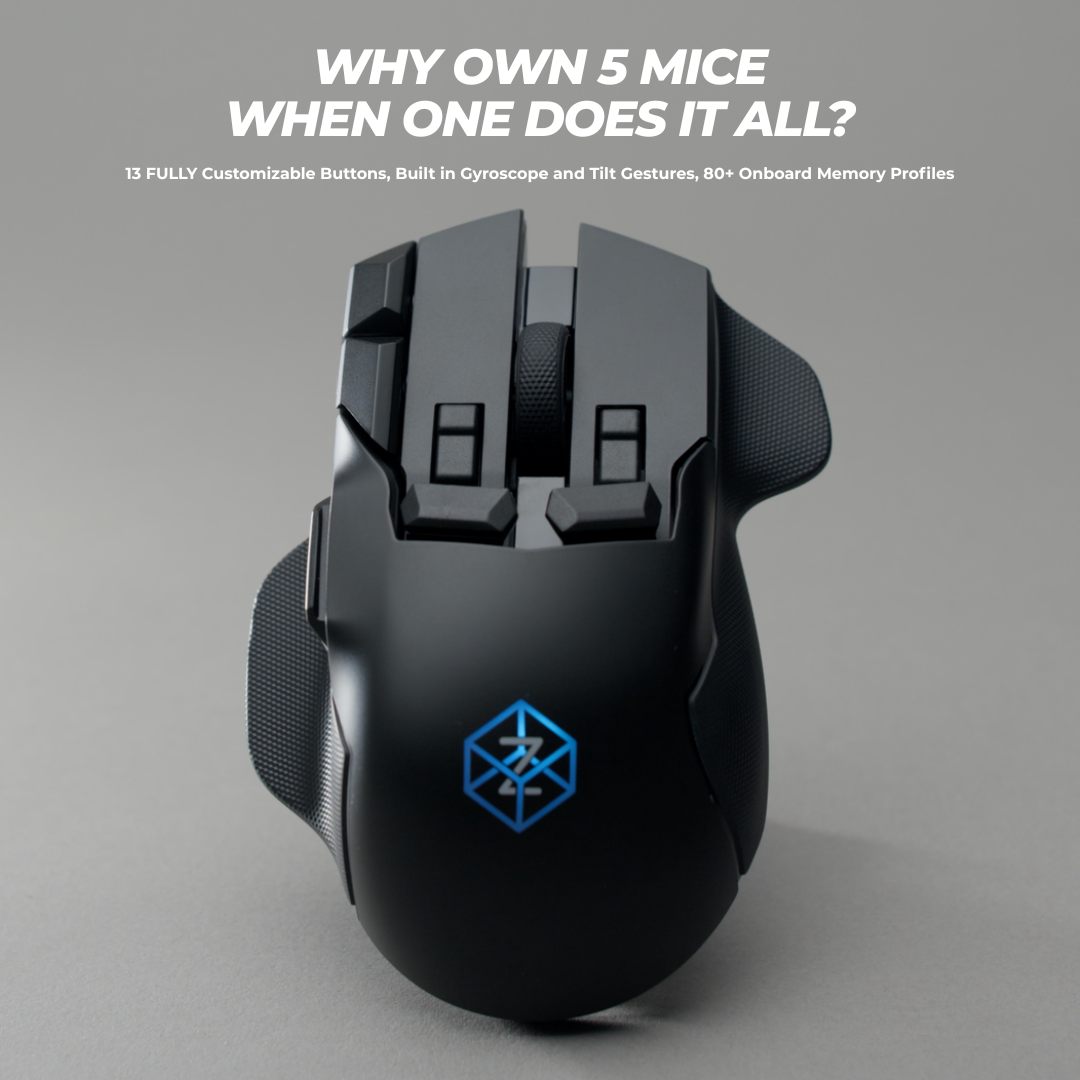
Why are customers upgrading to Swiftpoint
We surveyed 3,081 customers to find out why they made the upgrade to the Swiftpoint Z2. These are their unfiltered responses.
Absolutely love the customization with the buttons and the deep click comes in clutch too!
It was worth taking the time adapting to the form factor. I like being able to perform actions without lifting my fingers off the WASD keys.
This mouse is incredible for productivity. Trigger push + mouse movement to scroll through tabs and windows, trigger pull to close tabs and windows, deep click to save, bottom edge for enter, top edge for escape, fingertip buttons for left and right, the macros you can put on keys and use even on locked down work computers, rumble to give you feedback for when all of this is happening. It's great and I feel handicapped when I go back to even a 5 button mouse.
That said, for games, I don't think it's really necessary. Games have gotten a lot better about keybinds, and I rarely find a use for the fingertip buttons and triggers nowadays. The edge buttons are very useful though, as are the thumb buttons, which is a given. I don't use gyro for anything in game. I also never map the buttons to joystick buttons. I do really appreciate the auto profile switching, as well as the fact that you can manually switch profiles with auto mode on. The OLED screen is also great for dialing in dpi settings in game. The scroll wheel is weak and in games I augment it with rumble to give a more definite feel to a single scroll.
The mouse is very heavy, and it's back heavy. You can't get a good grip on the heaviest part of the mouse. I've been using a 100g mouse, and it feels so much better, it's not even funny. I will say that even though the mouse is huge, and my hands are small, it fits my hand really well. I have no problem reaching all of the buttons, which was not the case on a lot of mouses with their out of reach dpi switch buttons. It helps that it comes with options for button attachments. Oh, speaking of attachments, the trigger attachments break. The top rips off of the stem over time pulling the triggers. Maybe they fixed that with the Z2 or Z3.
As a productivity mouse, it gets five stars, easily. It's invaluable. I love it so much. As a gaming mouse, I give it four stars. The gestures and deep click are basically useless in game, as are the triggers. It's very usable, but I don't love it nearly as much for games, which is funny considering the way it's marketed.
I love the Z2 mouse, truly amazing, but I am kind of miffed at the fact that almost literally just after i buy my mouse and I waited to buy the mouse for about a year you guys came out with the wireless edition 😅
-
Sold outSwiftpoint Z2
Regular price $229.90 USDRegular priceUnit price / per$229.90 USDSale price $229.90 USDSold out -
Sold outSwiftpoint Z2 & Travel Case Bundle
Regular price $229.90 USDRegular priceUnit price / per$269.80 USDSale price $229.90 USDSold out
Classic Grip Series
🔥 Save Up to $80 on the Z2's younger siblings 🔥
Comfortable fit and fully customizable. Now I want the Z2 lol.
Creator
Everyone I talked to very nice and epic. Received a broken mouse ended up with a working mouse. Very satisfied. Mouse works great now.
This thing has changed the way i work throughout the day, ive been able to put my spotify controls, vs code macros, web browser shortcuts, and other custom macros onto this thing.. This was the last piece for my ergo setup (split kb, remarkable for notes, mouse), and while its not a true ergo mouse, the huge reduction in movement and additional rests for thumb and pinky on the mouse make it a win for me.
Now if i could just get my fingers to unlearn 20 plus years of normal mouse usage.. i keep clicking all the extra buttons inadvertently. Having a XXL hand doesn't make it easier, but i dont think making the mouse larger would aid me in that.. it feels great in my hand.
If you do not require an ergo mouse to do your work, and are looking for a mouse with a few extra buttons.. just get this.. Its customizable enough that you will find uses for the other buttons.. i PROMISE you
Collapsible content
Classic Grip Comparison Table
Pen Grip Series
🔥 The Tracpad Killer. Get Up to $50 off 🔥
NOTHING to say exept....it's an AMAZING mouse!! love it!!
The compact Swiftpoint mouse (PenPoint) is an excellent tool for travel, especially when there is limited space to use a traditional mouse pad. Its ergonomic design allows for easy control directly on the laptop's surface, even in the small area between the keyboard and the user's body.
This is a very unique mouse that is easy to handle and it reduced the pain on the wrist. At first it is really difficult to use but after spending some time you get use to it.
I have been using vertical mice for over 10 years and was recently on the hunt for a new one that wasn't too large in my hand. I have been using the DELUX Ergonomic Wireless Mouse with USB Receiver and Removable Wrist Rest most recently, and have been pretty happy with it. Then came this mouse.
This is more like holding a pen than a mouse. It is much smaller in person than it appears in many of the photos. I like the positioning of the buttons for the most part, but you do have to move your finger back and forth between the left and right mouse buttons since one is in back of the other. The wheel placement is okay but it is not clickable. It would have been nice if the mouse wheel could be clicked and use as the right button instead of the right button being behind the left (front) button.
I highly suggest that you watch some product tutorial videos of this mouse in action, it will help a lot. I love the feature where you can tilt the mouse on its side and use it as if you were pointing on a touchscreen, flicking and scrolling on the desk to navigate. It is one of my favorite parts about this mouse. The software for customizing it is also great.
-
SaleProPoint - Backorder
Regular price $89.90 USDRegular priceUnit price / per$159.90 USDSale price $89.90 USDSale -
SurfacePoint - Backorder
Regular price $79.90 USDRegular priceUnit price / per$139.90 USDSale price $79.90 USDSale
Collapsible content
Pen-Grip Comparison Table

ErgoPoint
Our first vertical grip mouse utilizing our innovative pen-grip software.
Join Our Community
Help us shape the future of peripherals and become part of the journey to build innovative new products